Files & Pages
A file is a single .mnd — one canvas holding any number of pages. Keep it on local disk, a NAS share, Dropbox, LucidLink — anywhere — and open it from macOS or Windows.
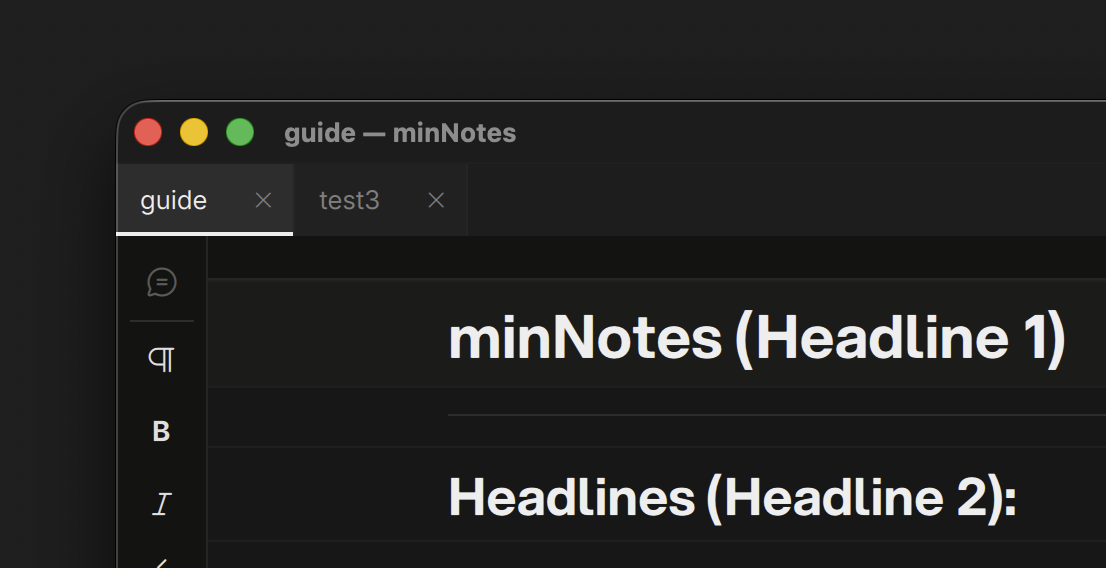
A new file opens on its first page, ready to type. Press Esc with nothing selected to step out to the canvas; double-click a page there to get back in. The Canvas page covers everything that happens on the canvas; this one covers files.
The Path Bar
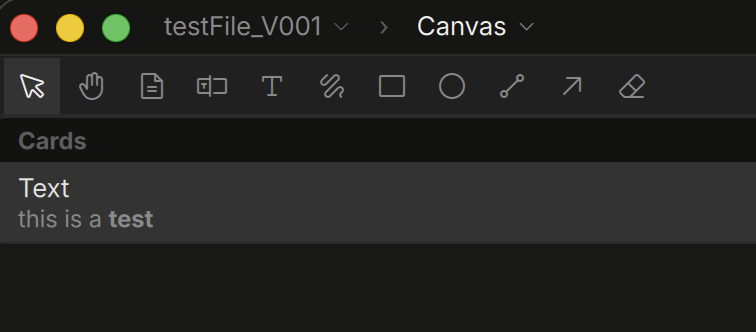
The strip above the toolbar reads like a path: File › Canvas › Page › Frame.
- The file name is the switcher. Click it for every open file, + New file, and a close box per file. A dot before the name marks unsaved changes.
- Canvas takes you to the canvas.
- The page segment names the page you are in; click it for the file’s other pages, + Add page, and this page’s tables, videos and PDFs.
- The frame segment appears while a table, video or PDF is open full-window; click it to switch between them.
At the right end of the toolbar, just left of the Inspector toggle, sits the pin. Click it (or View ▸ Always on Top, ⌥⌘T) and the window stays above every other app’s — handy for notes beside a player or a browser. Click again to unpin; the choice is remembered.
The two chevrons left of the path are Back and Forward (⌥⌘← / ⌥⌘→, or the mouse’s back and forward buttons): they walk the views you visited — canvas, page, frame, file — the way a browser does. Hover for where they lead.
Click any segment to the left to go up a level. New (⌘N), Open (⌘O), Save As (⌘⇧S), and Close (⌘W) live in the File menu. Closing a file or quitting with unsaved work prompts you first.
Search
⌘F (Edit ▸ Find in File…) opens a search field under the toolbar. It searches the whole file: every page’s text, the cards on the canvas (file names and paths, link titles and addresses, folder entries, text chips), the text inside every PDF, and each video’s QCView notes. Hits group by source with the current page’s first; a snippet shows each match. ↑ / ↓ walk the list and Return jumps: a page hit opens the page with the match selected, a card hit selects it on the canvas, a PDF hit opens that page, a video note opens the studio at that frame. Esc closes the search, from the field or from the page, before it does anything else. A PDF’s text is read once, the first time you search after adding it, and kept in the file.
Saving
minNotes edits a fast local working copy of your file and writes back to the original when you Save (⌘S). This keeps files safe even on network shares that don’t play well with live databases. If the file changed on disk while you worked (another machine, another person), Save tells you before overwriting.
Opening 1.0 files
A file written by minNotes 1.x opens as a canvas with one page holding the whole document. Margin ink becomes ink beside the text, sketches become ink and chips beside the page, PDF page markup stays with its PDF. The converted file opens read-only with a toast describing what moved; Save As writes a 2.0 file and the original is never touched. minNotes 1.x cannot open 2.0 files.
Merging Files
File ▸ Merge File Into This Page… copies another open file’s pages into the page you are editing, at the end. The block menu’s Merge a file here… does the same at a chosen spot. Text, tables and media all come along; one ⌘Z undoes the merge. To bring in a file that is not open, drop its .mnd or .mnpkg on the canvas — its pages copy in as pages, arranged as they were.
Save As & Media
Save As copies the file and its media folder to the new location. If media is still referenced from elsewhere (a NAS share, an absolute path), minNotes offers to collect it into the new file so the copy is self-contained:
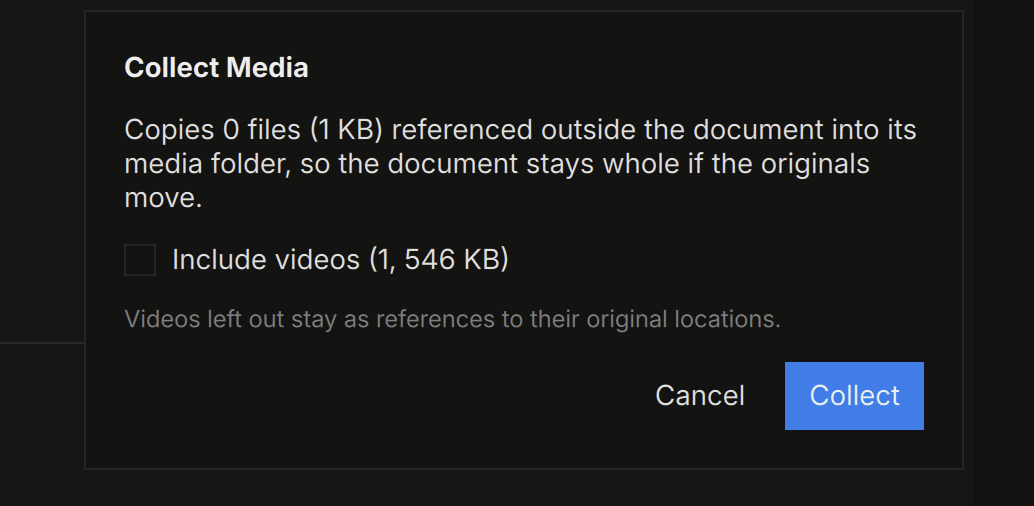
Videos are opt-in (they’re big). Decline and everything stays linked — you can collect later with Document ▸ Collect Media…. See Media.
Recent Files
File ▸ Open Recent lists your last ten files. The welcome screen (no file open) offers the same list, plus drag-and-drop import.
The User Guide
Help ▸ User Guide opens this manual inside minNotes as a canvas: one page per section, screenshots and all, laid out in a grid. It is built from the same text as this site and kept with the app’s data, so it is yours to annotate; a new version of minNotes builds it afresh, and Help ▸ Rebuild User Guide… brings back a pristine copy whenever you want one. ⌘/ opens it on the Keyboard Shortcuts page.